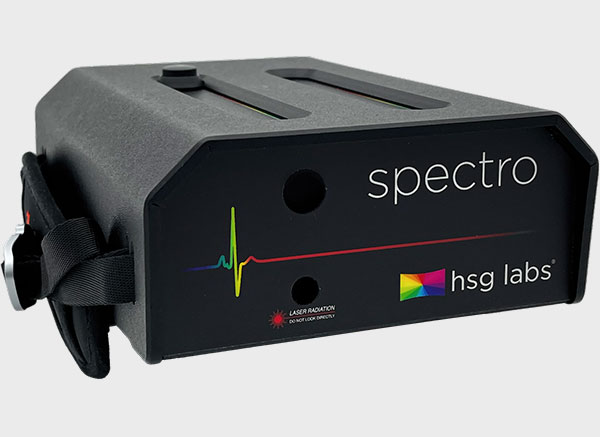
The hsg labs Spectro is a portable Spectrometer, with a 2nm bandwidth - optional 1nm.
- ColourSpace INF/XPT/PRO & HTX/HTP & DPS
- 2nm Spectral Bandwidth
- Laser Pointer
- 0.01 to 9000 cd/m2
- Integrated touch screen
ColourSpace Integration
As with all probes, operation and function is controlled via the Probe Options menu, accessed via the Profiling window, with the left-hand side of the menu providing generic probes settings, and the right-hand side settings specific to the hsg labs spectro
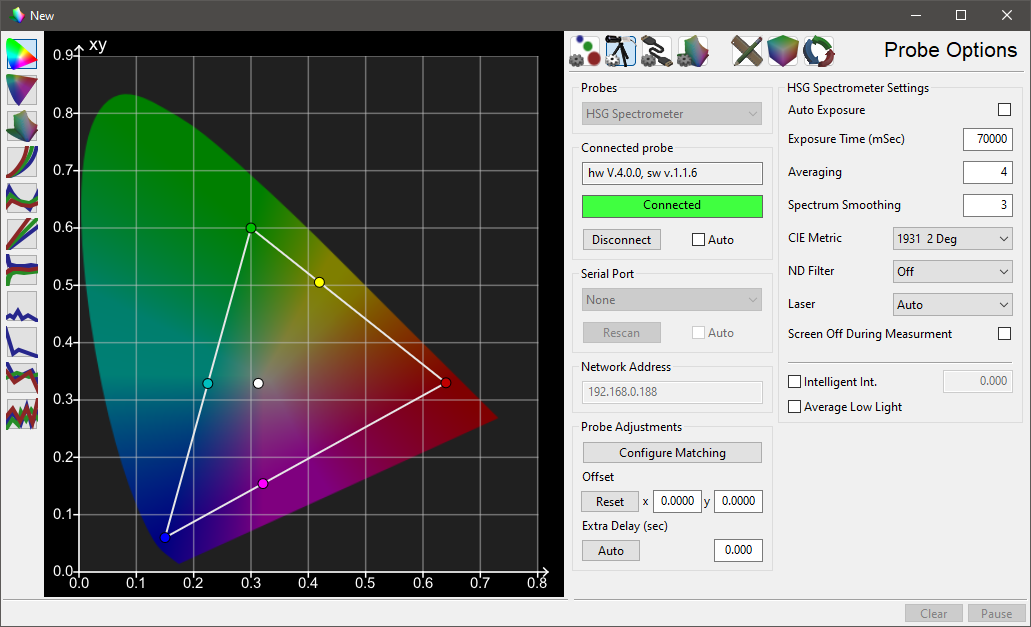
hsg labs Spectro Settings
hsg labs Spectro Settings options
The Settings options provide specific hsg labs Spectro configurations. Full details for all options can be found within hsg labs' own documentation.
Auto Exposure
Automatic Exposure is the default, and will vary integration time based on the measured brightness when enabled.
Exposure Time (mSec)
Exposure Time sets the time taken for any given reading, in seconds, when Auto Exposure is not set.
Averaging
Averaging is the number of measurement average for a single reading
Spectrum Smoothing
Smoothing reduces the resolution of measurements using a box filter within the range 0 to 100.
CIE Metric
CIE Metric selects from the available options within the drop down list.
ND Filter
The ND Filter option activates or deactivates the ND Filter for measurements.
Laser
The Laser mode defines the Lase setting as auto/on/off.
Screen Off During Measurement
Screen Off During Measurement disables the inbuilt screen to enable better environment light contamination management.
Additional Settings
Additional settings settings available with supported probes.
Intelligent Integration
Intelligent Integration set a nits value below which the i1D3 will perform a second, third, fourth, etc. reading, with increasing integration times, up to the maximum integration time of 6 seconds. The readings will stop as soon as a stable and valid reading is achieved. If no valid and stable reading is achieved a zero value will be returned, enabling ColourSpace to intelligently calculate a replacement value when generating a calibration LUT.
Average Low Light
Average Low Light is a probe generic option, that averages multiple readings in low-light situations using an advanced algorithm built into ColourSpace. The algorithm varies based on the probe in use to provide the best possible results.
Average Low Light should not need to be used when Intelligent Integration is active.
Probe Adjustments
Generic Probe Adjustment options
Probe Adjustments are generic probes settings, with consistent operation regardless of the probe in use.
Configure Matching
Probe Matching is really unnecessary with the hsg labs Spectro, as it is a Spectrometer.
The options is provided on a Why Not basis...
Offset
Probe Offset enables a user to manually enter offset values for different probes/display combinations.
Perceptual Colour Match is a preferable approach.
Extra Delay
Extra Delay sets a delay time after the patch has changed before probe measurement starts, and can be set automatically via the Auto button, and manages signal path delays in the image pipeline.
Note: Some probe/settings/display combinations will not work accurately with the Auto function
Additional Info.
 Probe Matching