| Forums | Search | Statistics | Polls | File Bank | 
  ?  
You must be logged in to post content on this forum.
Display Calibration Light Illusion Forums / Display Calibration /  
 

Help with a 2nd gen LG OLED EG9100

 
Author mga2009
ZRO

#1 | Posted: 24 Aug 2026 23:35 
Hi,
This might be a noob question, but I am calibrating my LG OLED EG9100 (its a 2nd gen FHD OLED) and I am having difficulties with the Dif EOTF graph.

First the setup and settings:
ColourSpace ZRO + TPGenerator 1.6 (YCbCr4:4:4) 8bit limited - Rec 709 (default which is gamma 2.4)
Expert1 Settings - Low (Limited) - 10% patches - Gamma 2.4 - All processing OFF
My Steps:
-. First I use the Brightness and Contrast patterns to set the correct brightness and contrast, so that total black is 16 and total white is 235.
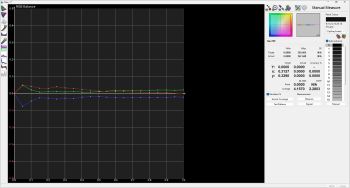
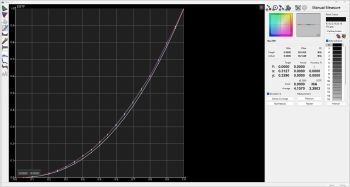
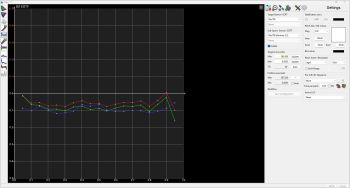
-. Measure a complete IRE 21 steps gray 8bit. That gives me a RGB balance with a dE of around 4 and and Dif EOTF (and EOTF) that is not very straight.
-. The problem is that the whole RGB is way over the 0.0 line. Changing the brightness lower the whole RGB, but it also crush the blacks un the brightness pattern.
-. If I use a Rec 709 with a 2.2 gamma, and set 2.4 in the TV, then the whole RGB is below the 0.0 line (but even a little bit closer to the line).

Any suggestions?

Thanks in advance.
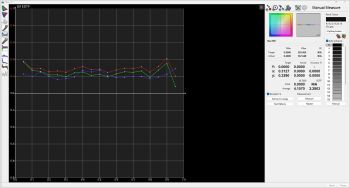


Dif EOTF 2.2

Author ConnecTED
CAL

#2 | Posted: 26 Aug 2026 05:22 
Have you set the Profile Luma to AUTO?

When using a contrast pattern, ensure that you allow for WTW; do not clip at 235. The flashing bars above 235 should flash. The default contrast setting on LG displays does not clip WTW.

Begin with the 2-Point RGB balance and only address chroma errors (check only the chroma option). Note that you cannot correct gamma errors with the 2-Point method when using 100-30% patterns. During this process, you should also determine your peak output, which should be set to 100 nits for SDR viewing at night.

Once you complete the 2-Point adjustments, move on to the 20-Point calibration. Here, you will correct luma errors as well. Pay attention to the Actual Y and Target Y values to resolve gamma errors.

Author mga2009
ZRO

#3 | Posted: 26 Aug 2026 14:07 
ConnecTED
Thanks for your reply.
No, i was not using Profile Luma AUTO.
My TV has no option to allow Whiter than White, that why I elevaed contrast to 96 (over 100) so that everything above 235 clips to white.

I will proceed again with 2-point as told.

My peak output is determined by OLED LIGHT?

Best Regards.

Author ConnecTED
CAL

#4 | Posted: 26 Aug 2026 18:36 
Which pattern do you use to check the contrast?

If you use the default contrast value (85?...check the default value), it will not clip.

When you add contrast, it will clip for sure.

Author mga2009
ZRO

#5 | Posted: 26 Aug 2026 21:08 
ConnecTED
I am using the pattern from TPG 1.6 available (upon license enhancement) from Colourspace ZRO, in YCbCr 4:4:4 8bit limited 16-235 on my TV. It's the flashing white bars, not the advanced one.
I re did the whole process, first adjusting brightness (clipping 16), oled light (around 100nits) and contrast (not clipping until 255) and managed to lower the Dif EOTG and get an EOTF Average of 2.4 and a dE average below 1. The TV looks good, but quite a bit dark, so I will remake the process with gamma 2.2
Best Regards.

Display Calibration Light Illusion Forums / Display Calibration /
 Help with a 2nd gen LG OLED EG9100


Online now: Guests - 1
Members - 0
Max. ever online: 380 [24 Mar 2026 21:54]
Guests - 380 / Members - 0