PiTPG (Ted's Edition) 2.4.6 is now available
here.
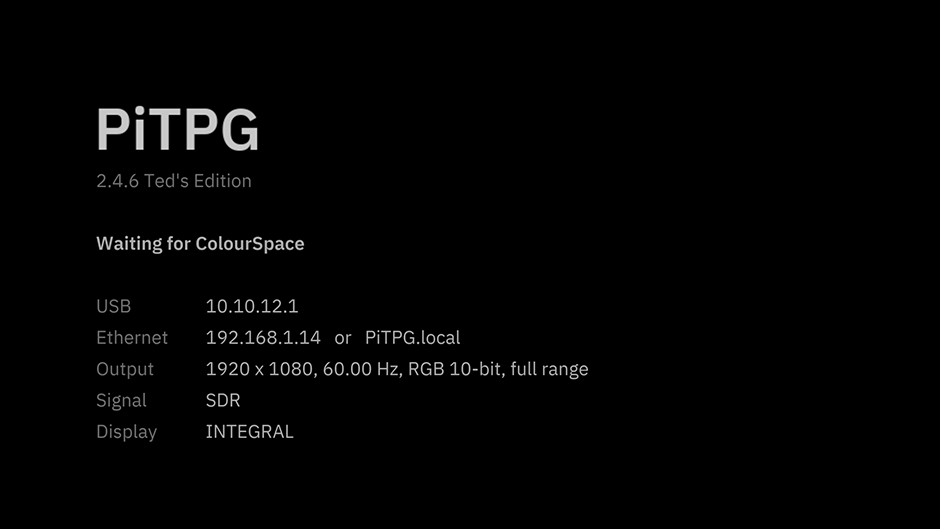
The retail price for new customers is $30 and includes free future updates.
If you previously purchased another version, such as Ted's Blu-Ray Copy, Blu-Ray ISO Digital Download, or Media Files Digital Download, you are eligible to purchase PiTPG (Ted's Edition) for $25.
If you have already purchased Ted's PGenerator ISO, you can purchase PiTPG (Ted's Edition) for $10, which includes free future updates. Please ensure you select this option
here.
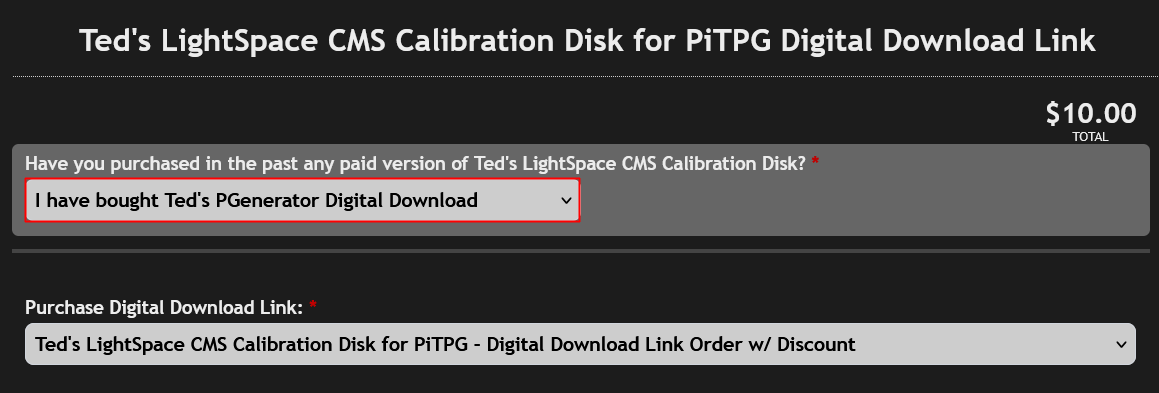
Please make sure you have purchased Ted's PGenerator ISO from the
displaycalibrations.com store. This offer is not valid for users of the PGenerator ISO (Public) from AVSForum or the PGenerator from the LightIllusion site, as those only provide the Public ISO, not Ted's PGenerator ISO.
PiTPG (Ted's Edition) requires a free 'TED' license enhancement for your ColourSpace or ColourSpaceZRO.
If you have already enhanced your license through a Ted's PGenerator ISO purchase, your 'TED' license enhancement already grants access to PiTPG (Ted's Edition).
PiTPG (Basic) vs. PiTPG (Ted's Edition)The PiTPG (Basic) functions solely as a TPG for generating patches and does not include any patterns.
The PiTPG (Ted's Edition) offers the following additional features:1) Ted's Calibration Disk Patterns (162) are available in four formats: 1080p 8-bit, 1080p 10-bit, 2160p 8-bit, and 2160p 10-bit.
2) Conversion of Ted's or custom image SDR RGB patterns to YCbCr 4:4:4/4:2:2 SDR/HDR10/DoVi.
3) Supports custom image uploads at 1080p or 2160p in TIFF, PNG, TGA, or JPG formats.
4) Free license enhancement for PiTPG (Ted's Edition) when used with the ColourSpace or ColourSpaceZRO GUI.
5) Includes Signal Chain Check Patterns:
Chroma Check - ensures full chroma 4:4:4 reaches the display.
Pixel Check - ensures 1:1 pixel mapping.
Bit-Depth Check - confirms whether a display is truly 8-bit, 10-bit, or relies on Frame Rate Control (FRC) dithering.
6) Provides HDR Steps Patterns:
HDR Steps - This was sent using HDR10 settings in ColourSpace. The upper strip increases evenly in PQ from near-black to the mastering peak defined in ColourSpace (MaxDML). The lower strip displays the top 100 code values up to that peak, with each representing a single 10-bit step.
HDR Steps Metadata Cycle - One frame includes steps up to 10,000 cd/m². PiTPG updates the mastering peak, and MaxCLL is sent to the display every 6 seconds, cycling through 600, 1000, 2000, 4000, and 10,000 cd/m². The heading displays the current values.
7) Offers A/V Sync Tests at 0 ms, as well as versions with audio intentionally offset by 20, 40, 60, 80, or 100 ms early or late.
8) Includes demo clips:
Demo Lip Sync - 1080p, 24 fps: features a white flash and a 1 kHz beep occurring simultaneously on the same frame once per second, with frame number and timecode displayed.
Demo Motion - 2160p, 60 fps: includes scrolling text, a moving bar, and a strip that illuminates one box per frame.
Demo HDR10 (1000 and 4000 nits) - 2160p, 24 fps, 10-bit PQ BT.2020 with HDR10 metadata for a 1000 or 4000 cd/m² master: presents grey steps at defined brightness levels from 0.1 cd/m² to the master's peak, BT.2020 colour bars at HDR reference white (203 cd/m², as specified in ITU-R BT.2408), a smooth ramp from black to peak brightness, and a moving highlight at the peak.
Demo Sound Check - 1080p, 24 fps: features tones from the left, right, and both channels, a frequency sweep from 20 Hz to 20 kHz, and pink noise, all with on-screen captions.
Netflix Sol Levante HDR10 and SDR - 45-second excerpt of the animated short (01:12 to 01:57), 2160p, 24 fps, with stereo sound. (From Netflix's HDR10 1000 cd/m² BT.2020 master and its SDR master)
Netflix Sparks HDR10 and SDR - 53-second excerpt of the live-action short (01:36 to 02:29), 2160p, 59.94 fps, with stereo mix.
The HDR10 version is sourced from Netflix's 4000 cd/m² P3 master, mapped precisely within BT.2020 without tone mapping.
(The SDR version is produced by Light Illusion from the same master, using a dedicated HDR-to-SDR conversion LUT as detailed below. Both versions use the central 3840x2160 area of the original 4096x2160 frame.)
9) Enables video clip playback and upload in HD (H.264/HEVC) or UHD (HEVC), supporting MP4, MKV, MOV, M4V, TS, M2TS, MTS, and WebM formats.
(The current PiTPG release (2.4.6) decodes and scales video files using the Pi's video hardware, outputting in RGB-Video. We plan to enable direct HDMI output with YCbCr as soon as possible. For now, please use this function only to view real footage after calibration or for sync and motion tests. For bit-perfect pattern levels, use Ted's Patterns rather than imported video files.)
10) Apply a LUT before the PiTPG output. PiTPG (Ted's Edition) can apply a LUT to its output, similar to a hardware LUT box. This allows you to view or verify a calibration LUT created in ColourSpace before loading it into a display. The LUT affects all PiTPG output, including patches, in every mode.
11) Info and Support File:
PiTPG Info displays detailed information about what PiTPG is sending, including resolution, refresh rate, color format, bit depth, range, and HDR settings (SDR, HDR10, HLG, or Dolby Vision). It also explains output choices, such as why 8-bit is used instead of 10-bit, and shows what the display can accept, including supported color formats, bit depths, HDR and Dolby Vision compatibility, and reported peak and black levels.
Save Support File creates a single text file containing all the above information, along with PiTPG's settings, the display's EDID, and PiTPG's logs. If you encounter any issues, please include this file with your support request.
12) Download access 8 and 10-bit patchlists for ColourSpace or ColourSpace ZRO. These include grayscale, saturation, luminance, ColorChecker, and quick profile options for checking RGB separation with ColourSpace ZRO.
PiTPG (Basic) and PiTPG (Ted's Edition) Update InformationPiTPG (Basic) is free for ColourSpace INF, XPT, PRO, CAL, LTE, HTX, HTP, HTL, DPS, and Manufacturer Specific PRO/LTE/HTP/HTL users. You can download it from the Customer Download section on the LightIllusion site and get free updates in the future.
ColourSpace ZRO customers do not have access to the Customer Download page. However, they can purchase General Download access for £10 on the LightIllusion site. This provides a single download of the current PiTPG (Basic) version and does not include future updates.
If you have Ted's PGenerator, you can upgrade to PiTPG (Ted's Edition) for $10 and get free updates in the future.
For ColourSpaceZRO customers, buying PiTPG (Ted's Edition) is a more affordable option. One purchase gives you free updates in the future.