| Forums | File Bank | Polls | Search | Statistics |
  ?  
You must be logged in to post content on this forum.
Bugs & WIBNIs Light Illusion Forums / Bugs & WIBNIs /  
 

Saving profiles/measurements problem in ColourSpace ZRO [Not a Bug]

 
Author PierreStemmelin Male
ZRO

#1 | Posted: 21 Apr 2026 16:32 
I am using ColourSpace ZRO and I am having trouble saving my measurements persistently.

While the software is open, I can successfully save my measurement results into one or several profiles. They appear in the 'Manage Spaces' (Library) area during the session. However, as soon as I close and restart the software, all my saved profiles have disappeared.

Is this expected behavior for the ZRO license, or is it a bug with my installation?

Note: I have already tried running the application as Administrator , but the issue persists. The 'Export' button also remains greyed out.

How can I resolve this so my profiles are kept in the Library between sessions?

Thank you for your help.

Author Steve Male
INF

#2 | Posted: 21 Apr 2026 17:09 
As per the website info, ZRO has never saved profiles between sessions.
If it has somehow in the past, that was actually the bug.

Steve
Steve Shaw
Mob Boss at Light Illusion

Author PierreStemmelin Male
ZRO

#3 | Posted: 21 Apr 2026 17:29 
Which ColourSpace license is required to save measurements?

I am trying to establish a measurement protocol for televisions and projectors in order to publish the results on ON-mag.fr.

Author Steve Male
INF

#4 | Posted: 21 Apr 2026 19:17 
ColourSpace DPS would be the minimum

Steve
Steve Shaw
Mob Boss at Light Illusion

Author ConnecTED
CAL

#5 | Posted: 21 Apr 2026 22:10 
You can customize the ZRO interface by defining the size and number of charts you want. Take a screenshot in Windows and apply the same layout for each display or projector you wish to evaluate.
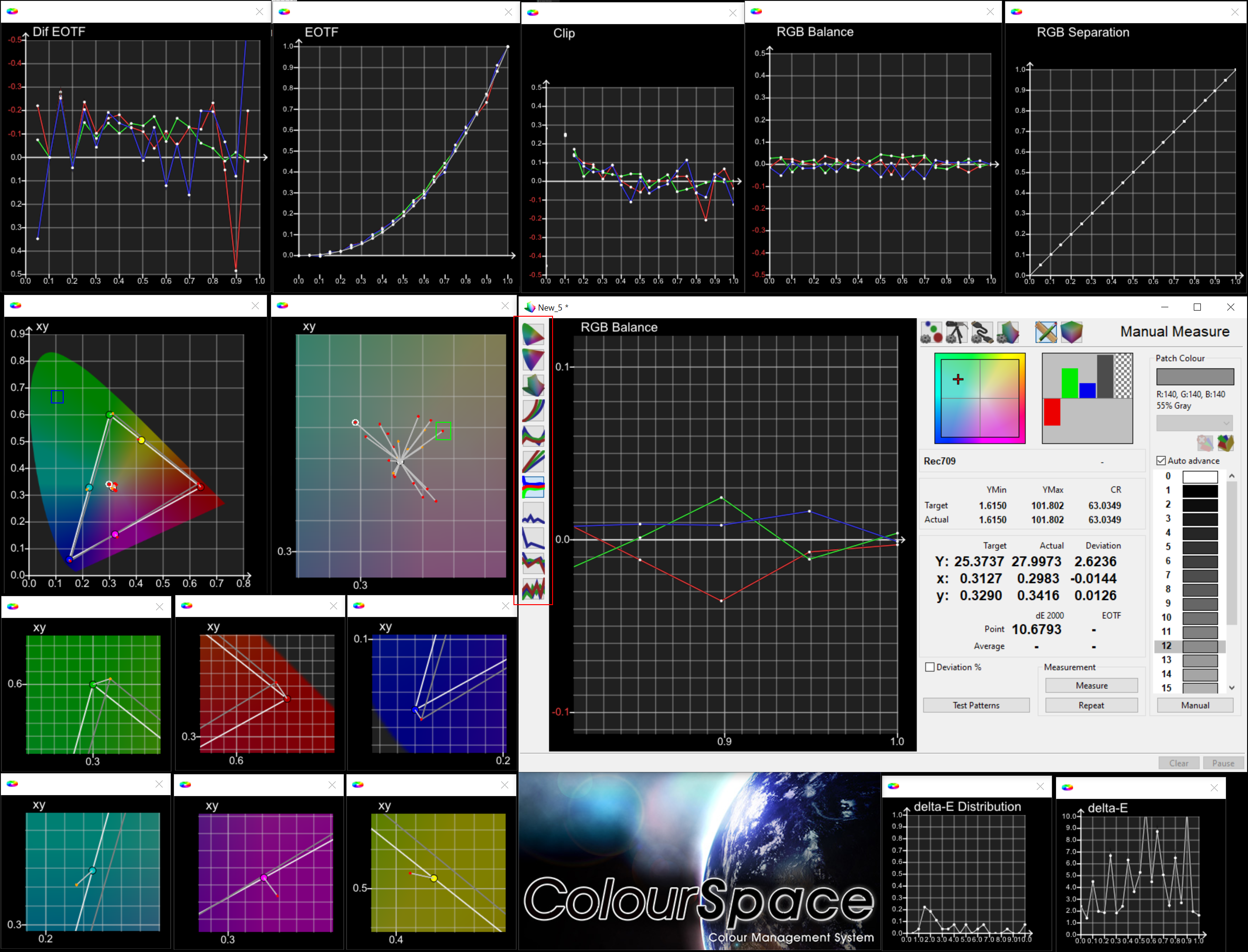
Example

Tips about Customization of Interface

If you want to open a new chart window while holding the Control Key of your keyboard, click on any of the icons of the Profiling window. (red stroke indication to the above picture)

If you want to zoom in/out a chart, click+hold the right mouse button and then move the mouse: 'Up' direction to zoom in / 'Down' direction to Zoom out. (blue stroke indication to the above picture)

If you want to move the chart to any direction, then hold the left mouse button and move to any direction.

If you hold both left and right mouse buttons at the same time, then it can zoom in/out and also move simultaneously.

If you want to see specific point info, double left mouse clicks to a point (see green stroke indication to the above picture) of a CIE Chart.

If you have taken several measurements and you want to see the point window of all grayscale points, then tick from the filters of Graph Options only the 'Gray Scale', and you will see to the CIE chart only the grayscale points.

Using the left mouse, double click to any of those grayscale of the CIE chart, you will see a Point Window with all GrayScale points.

Bugs & WIBNIs Light Illusion Forums / Bugs & WIBNIs /
 Saving profiles/measurements problem in ColourSpace ZRO [Not a Bug]


Online now: Guests - 2
Members - 0
Max. ever online: 380 [24 Mar 2026 21:54]
Guests - 380 / Members - 0