After LUT Generation the first verification step to confirm accuracy is to run a profile using the Active LUT capability within ColourSpace, and then with the LUT uploaded into its final location, be that a monitor, LUT box, or grading system.
The LUT should verify identically both times, and any variation show a potential issue.
Active LUT vs LUT Upload
To understand potential Calibration & Verification Errors it is best to initially look at the simplest LUT verification workflow, using a display with internal LUT capability and profiling via a direct HDMI connection from the ColourSpace PC.
Direct HDMI Profiling
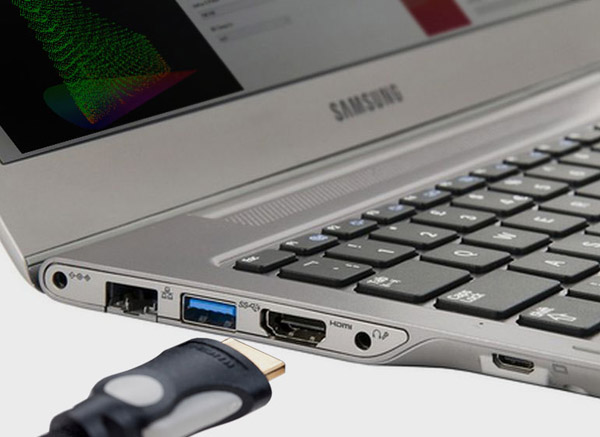
With a Direct Profiling configuration, the HDMI output from the ColourSpace PC is connected to the display's HDMI input, enabling direct profiling, as described in the HDMI User Guide.
It is also assumed the HDMI signal is RGB, and NOT YCbCr - see later!
In this profiling workflow the RGB triplet patch values, as defined by ColourSpace, are directly displayed on the monitor via the HDMI connection (assuming there are no active ICC profiles, or incorrect Graphics Card/Chip Set configurations, as defined in the HDMI User Guide), ensuring the values measured by the probe are as expected for the TPG triplet as defined by ColourSpace, and as accurate as the probe's inherent capabilities, and display stability.
Based on this direct profiling, the 3D calibration LUT generated will, in turn, be as accurate as it can be, based on the probe's reading accuracy, and the stability of the display.
Continue Active LUT vs LUT Upload
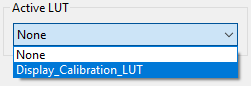
After LUT Generation, the first verification step is to run a profile using the Active LUT capability within ColourSpace.
The Active LUT capability effectively proves the underlying LUT calibration accuracy by passing the patch colour data through the LUT, before sending the patch to the display via the HDMI connection.
As a result, the patch colour displayed will have been corrected by the LUT, and the probe will read the new, corrected value, effectively proving the accuracy of the calibration.
The next step is to Upload the LUT into the display (as for this example the display has 3D LUT capability), and again re-profile.
Ideally, both verification profiles will match exactly, and the calibration will be perfectly accurate.
So, what could be wrong?
In this example, theoretically very little, as the workflows is very simple, assuming the instructions on the management of ICC profile and Graphics Card/Chip Set configurations have been performed correctly.
Even though the Active LUT and the actual LUT Upload into the display are in different location the simple RGB signal path minimises potential signal path issues.
The following shows the signal and profiling patch for the Active LUT.
ColourSpace Active LUT Verification
-

Patch Generation
Initial Patch triplet colour defined by ColourSpace
-

Active LUT
Active LUT held with ColourSpace, modifies the patch triplet colour before being sent to the TPG
-

Patch Generator
The Test Patch Generator (TPG) located after the LUT send the modified patch colour to the display
(Can be either the internal ColourSpace TPG or an external TPG) -

HDMI Connection
HDMI RGB connection to the display
(SDI connection for SDI monitors) -

Display Measurement
Active LUT corrected patch colour displayed and measured on monitor
And the following shows the signal and profiling path when the LUT is uploaded directly into the display.
Display Uploaded LUT Verification
-
Patch Generation
Patch colour defined by ColourSpace, and sent to display as a HDMI RGB signal
-
Patch Generator
ColourSpace Test Patch Generator (TPG) located before the display, and the uploaded LUT
-
HDMI Connection
HDMI RGB connection to the display
-
Uploaded LUT
LUT uploaded into the display modifies the patch colour
-
Display Measurement
LUT corrected patch colour displayed and measured on monitor
As can be seen, there is theoretically little to go wrong, as the LUT should have the same effect on the signal when an Active LUT, and when Uploaded into the display. And as the signal profiling path is direct and simple, with little potential for unexpected distortion, the generated calibration LUT will be as accurate as possible.
If there are any differences between the two verifications, that points to some form of variation in the effect of the LUT when uploaded into the display vs the Active LUT held within ColourSpace. Such variations could be LUT size (with the display Upload using a LUT size that is smaller than the internal ColourSpace size), or the need to apply a Video Scale process to the LUT before uploading if the display signal path is TV Legal, or can be down to poor signal processing within the display itself (or LUT Box, or software system using the LUT). It is LUT Processing issues that are the worse, as they cannot be corrected, as can be seen in the LUT Processing, and Signal Processing pages.
Active LUT & Bit Depth
One point that does need to be considered when using Active LUT for LUT verification is that that Bit Depth set within ColourSpace when profiling through an Active LUT defines the bit depth of the whole signal path. For most actual LUT systems the input and output bit depth is usually independent of the LUT processing and so it may be necessary to set ColourSpace to a greater bit depth to better match the final LUT application.
LUT Generation Size
Another potential issue that may cause some variation between an Active LUT verification vs the Uploaded LUT can be the LUT Generation Size, especially when the LUT sizes used within the display/LUT box is not known, as many display/LUT box manufacturers do not advertise their LUT sizes.
In such circumstances it is best to use a large LUT size within ColourSpace - 643 or greater - such that there are likely to be actual LUT points within the generated LUT that are close to the points within the final uploaded LUT.
See the LUT Generation Size page of the website.


