|
New Features and New Capabilities
Light Illusion announces a raft of totally new developments for LightSpace CMS - the most advanced, and yet simple to use display calibration system available for both professional and home cinema users.
All new features and developments are provided free to existing customers, continuing Light Illusion's approach of no additional costs or yearly support fees for all its software systems. Pay once for a lifetime's use!
Gamut Triangle Level
The new Gamut Triangle Level function enables the visualisation of a display's gamut at all matched RGB primary points throughout the full stimulus range. By cycling through the drop-down list of available matched RGB primary points it is possible to see the shape and size of the Gamut, and see at what levels it is smaller or larger that the desired target. This is extremely helpful when it comes to understanding the underlying capabilities of a given display.
See: User Manual - Gamut Triangle Level
Stimulus Levels
The Stimulus Levels function is another of the 'filters' for the CIE graphs, and defines what measured points are shown. As with all the points filters they are additive options, and will combine with any other filters selected. The Stimulus Levels filter will show any and all points that include the selected value within any R, G, or B stimulus data. This enables easier selection of a given point to enable it to be isolated via a double click to see the points associated measured colour data and Delta-E values.
See: User Manual - Stimulus Levels
Delta-E
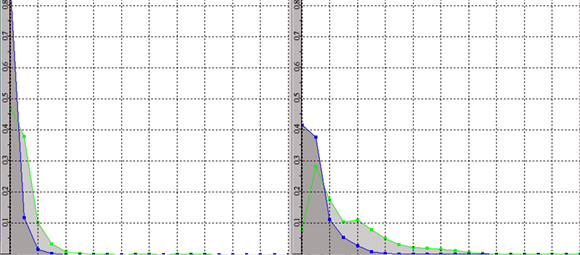
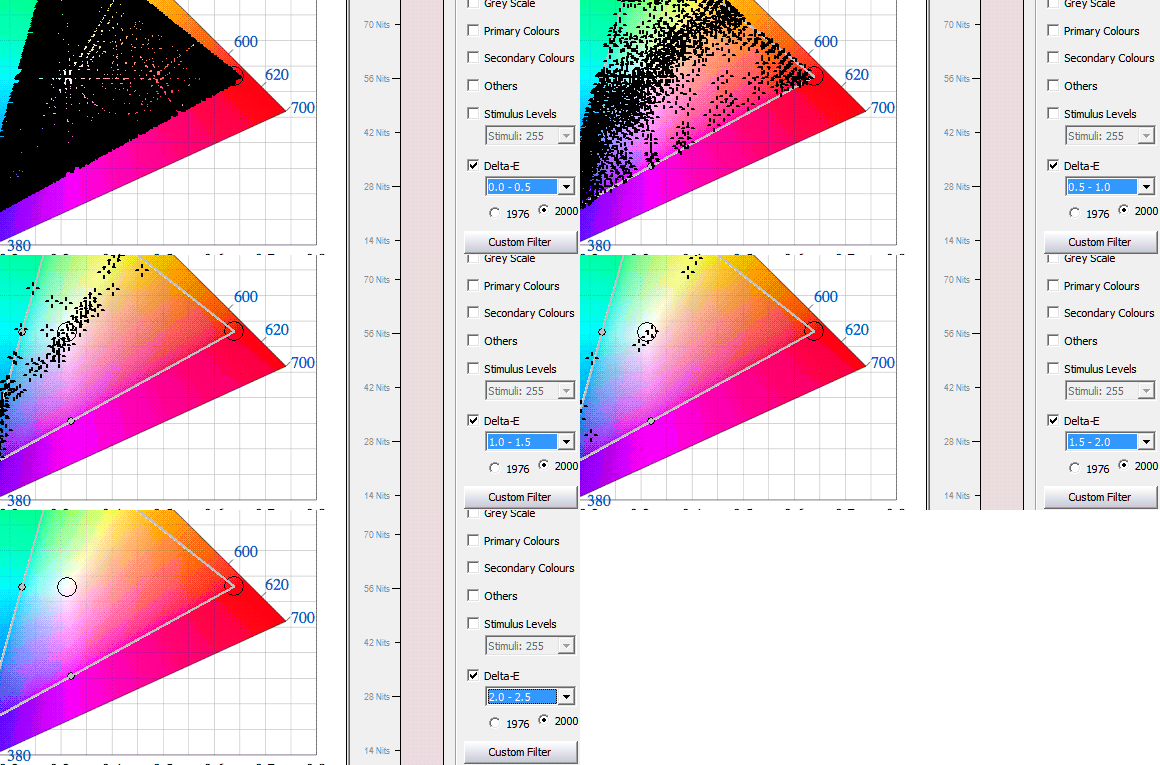
The Delta-E filter is also another of the 'filters' for the CIE graphs, and defines how the measured points are shown based on their Delta-E value. As with all the points filters they are additive options, and will combine with any other filters selected. Therefore to see just the points within the available Delta-E ranges first disable all other filter tick boxes. The benefit of this filter function is that it enables a quick assessment of the spread of Delta-E values within the measured profile, allowing a very quick understanding of the overall accuracy of the display.
See: User Manual - Delta-E
Memory Colours and Gamut Sweeps
Quick Profiling has a selection of new profiling options, including Memory Colours and Gamut Sweeps, which enable a quick verification of any display calibration accuracy.
See: User Manual - Memory Colours and Gamut Sweeps
Reports
The new Reporting feature enables a .pdf export to be generated of the various graphs, as well as details on various aspects of the selected profile, including all graphs, Luma range, Contrast, Delta-E ranges, etc., as well as user editable sections for client name, display, probe data, and more.
See: User Manual - Reports
Additional changes in the new release include:
- Added new Maths functions for LUT Manipulations
- Added 'Sweeps' to Quick Profiling options
- Added Memory Colours to Quick Profiling options
- Added EBU TEC3320 colour space pre-set
- Added new LUT formats
- Error message if Colour Space name invalid
- Additional CIE graph display features
- BON 1D & 3D LUT Upload
- ACES v1 fixes (for ACES not LightSpace)
- Correction for madVR integration
This new release of LightSpace CMS, including all the listed features, will be available to all users via the normal download procedure in a matter of days. An open Beta version can be provided on request.
|