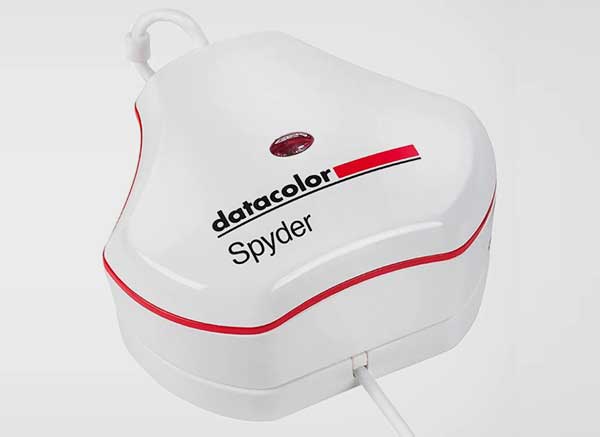
The DataColor Spyder range of probes are low cost tristimulus probes, and while they work with most display devices using contact and non-contact modes, their accuracy is very poor.
- ColourSpace INF/XPT/PRO/CAL/LTE & HTX/HTP/HTL & DPS/ZRO
- All Spyder models from 4 onwards
Note: Spyder probes are not recommended due to their inferior performance.
ColourSpace Integration
As with all probes, operation and function is controlled via the Probe Options menu, accessed via the Profiling window, with the left-hand side of the menu providing generic probes settings, and the right-hand side settings specific to the Spyder.

Spyder Settings
Using the Spyder with ColourSpace
The Settings options provide specific Spyder configurations.
Integration Time
Integration Time sets maximum the time taken for any given reading, in seconds, and is only available for the Spyder 4 and 5.
There is no default setting, as different values will be required depending on the display being profiled, with longer values generating more accurate and stable readings.
Additional Settings
Additional settings available with supported probes.
Calibration
The Calibration matrix Drop-down menu provides access to the probe's pre-set matrices.
Note: Presets should not be relied on for calibration accuracy - the use of Probe Matching to a Spectro is always recommended, using ColourSpace's unique FCVM and MPVM probe matching capabilities.
Average Low Light
Average Low Light is a probe generic option, that averages multiple readings in low-light situations using an advanced algorithm built into ColourSpace. The algorithm varies based on the probe in use to provide the best possible results.
Probe Adjustments
Generic probe settings
Probe Adjustments are generic probes settings, with consistent operation regardless of the probe in use.
Configure Matching
Probe Matching is used to match a Tristimulus to a Spectrometer, increasing the profile accuracy.
There are three different methods available for probe matching - ColourSpace's unique 4 Colour Volumetric Matching (FCVM), and Multi-point Volumetric Matching (MPVM), with the option to force the use of the traditional simple matrix method (FCMM).
Offset
Probe Offset enables a user to manually enter offset values for different probes/display combinations.
Perceptual Colour Match is a preferable approach.
Extra Delay
Extra Delay sets a delay time after the patch has changed before probe measurement starts, and can be set automatically via the Auto button, and manages signal path delays in the image pipeline.
Note: Some probe/settings/display combinations will not work accurately with the Auto function